
Upload documents
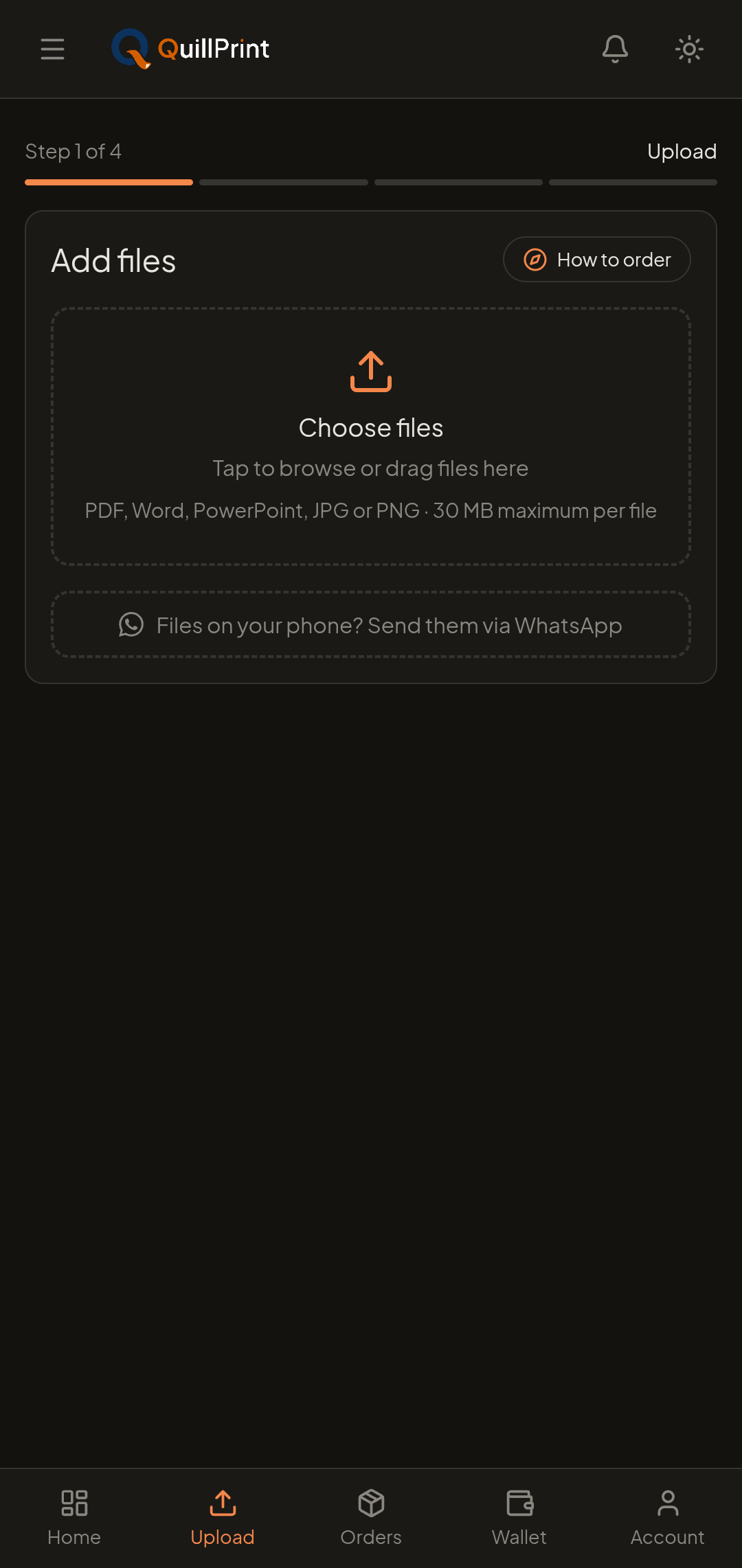
Upload PDFs, Word files, presentations and images from your phone or computer, up to 30 MB per document, or send what is already in WhatsApp.
Two ways to send a file
Upload from your device
Select documents from a phone, tablet or computer. Add as many as the order needs, each one keeps its own settings.
- Works from a phone browser, no app install required
- Up to 30 MB per document
- Several documents in a single order
Send it on WhatsApp
Files already in WhatsApp? Send them to QuillPrint, review your print settings, choose a shop, and place the order from your phone.
- Skip re-downloading a file you already received
- Continue the order in your browser
- Same print settings and shop choice
Supported files
Every supported format can go up to 30 MB per document.
- PDFBest for anything where layout matters
- DOCWord documents
- DOCXWord documents
- PPTPresentations and slide decks
- PPTXPresentations and slide decks
- JPGPhotos and scanned pages
- JPEGPhotos and scanned pages
- PNGScreenshots and images
30 MB per document
What happens next
Nothing is sent to a shop until you have seen the pages, set the options and reviewed the total.
- 1
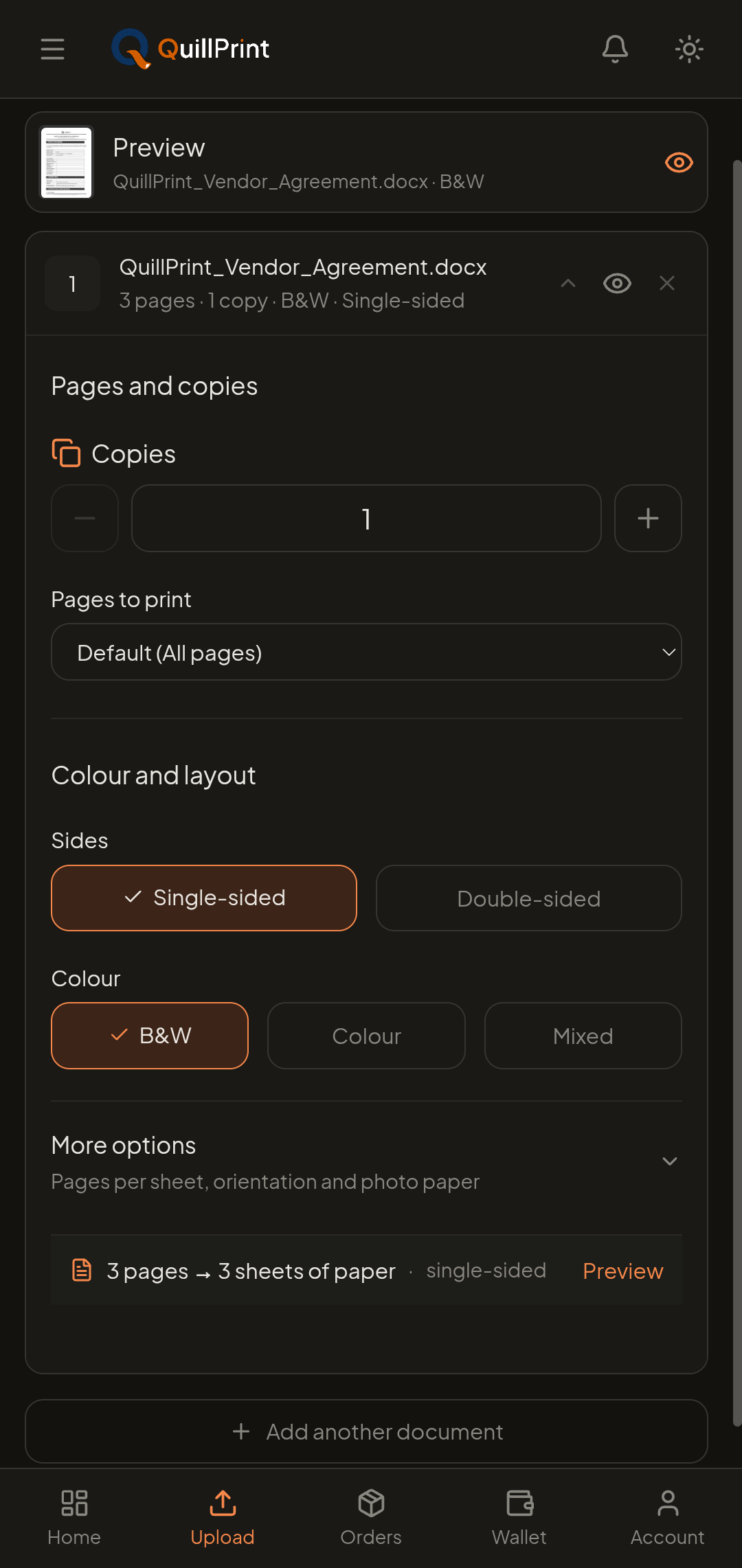
Set your print options
Copies, page range, colour or black and white, single- or double-sided, and binding direction. Layout and finishing options appear where the chosen shop offers them.
- 2
Preview the selected pages
Confirm you have the right document and the right page range, and see how double-sided or pages-per-sheet output will come out.
- 3
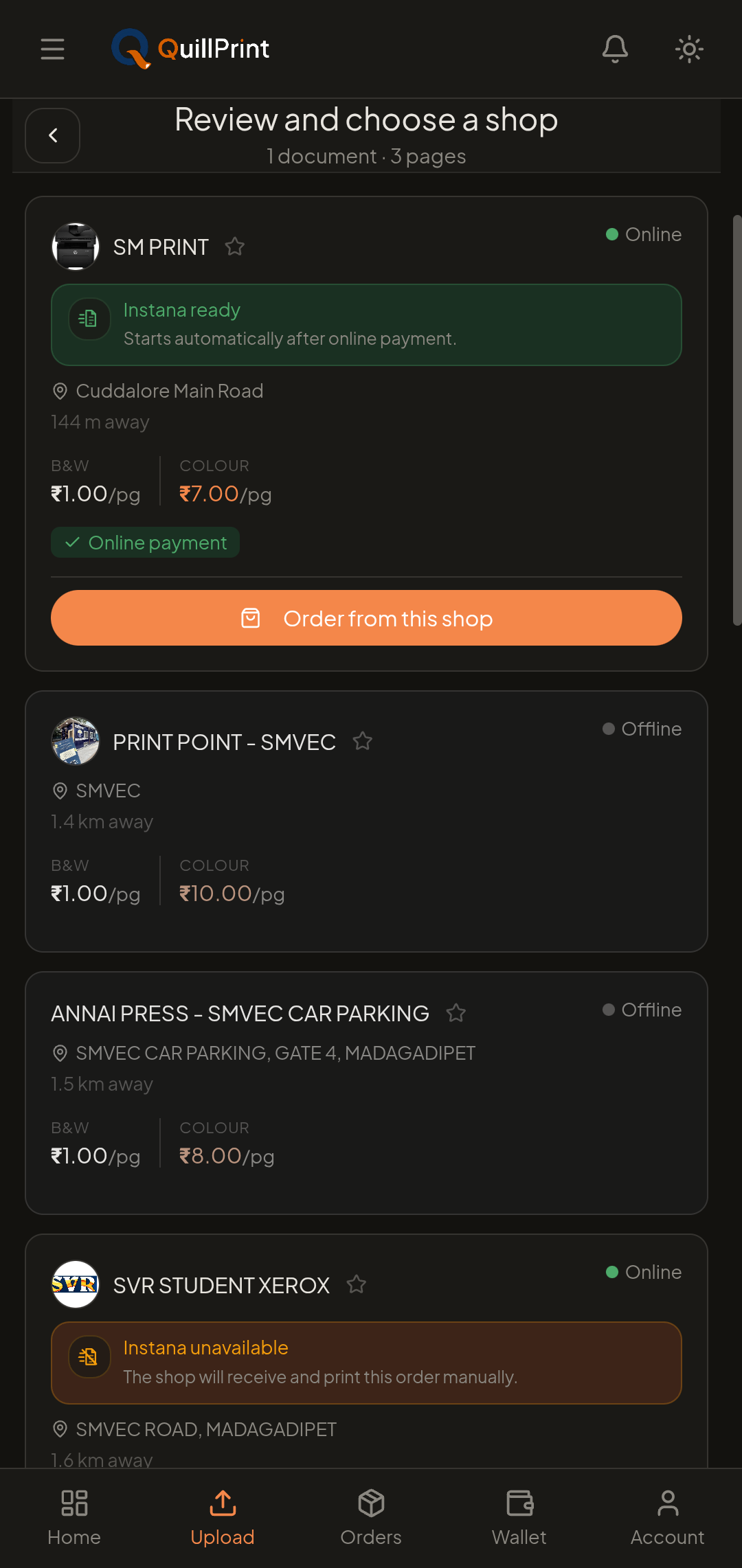
Compare nearby shops
Review shop rates, services, Instana state and estimated ready time, then choose the shop that fits your order.
- 4
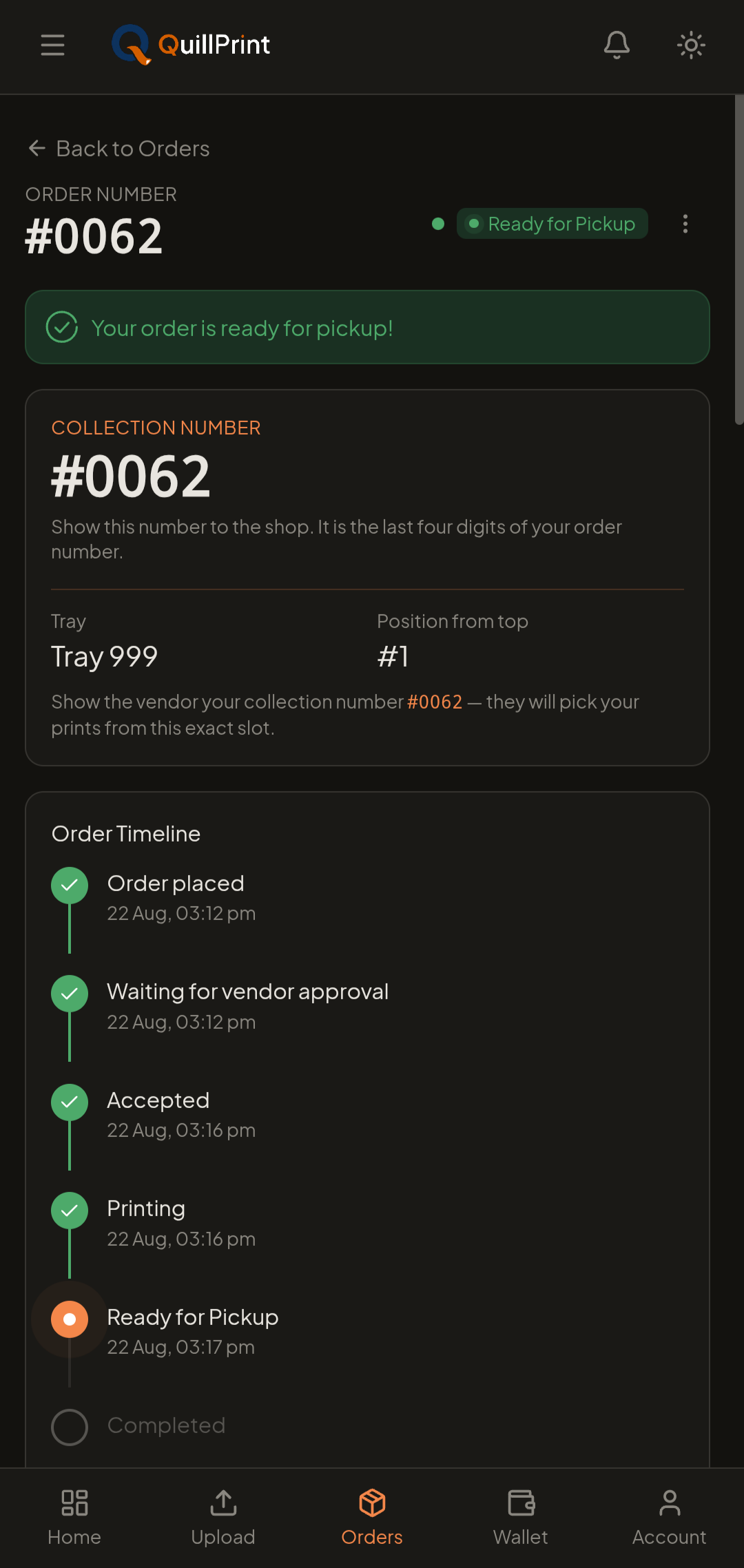
Sign in, pay and track
Sign in to complete the order, pay securely online or with Wallet, then follow the status through to collection.
Before you order
You sign in before completing an order
A network connection is required
Before you upload something sensitive
Questions
30 MB covers the large majority of documents, including long reports with figures. If a file is larger, exporting it to PDF at a normal print resolution usually brings it well under the limit. You can also split a very large document and add both parts to the same order.
Yes. You can explore the site freely, but you sign in before completing a live order so your order, payment and collection details stay attached to your account and you can track and reorder later.
Yes. Add several documents and configure each one separately (its own copy count, page selection, and colour or layout choices), then review and check out once.
QuillPrint keeps your print setup whenever possible, so you can retry the upload or the preview instead of rebuilding the whole order. A network connection is required for ordering and tracking.
Yes. Send the document to QuillPrint on WhatsApp, then review your print settings, choose a shop and place the order from your phone.
No subscription. Review the selected shop's total before payment.